Docks and Hubs Explained
If your laptop feels like it is running out of ports faster than ever, you are probably right. Today’s laptops are slimmer and lighter, which is great for portability, but it often means fewer ports for the things we use every day.
At the same time, our setups are filled with connected devices. Think dual monitors for work, external SSDs for photos and videos, keyboards, mice, cameras and chargers all running at once. It is a lot for any laptop to manage on its own.
That is where modern docks and hubs come in. They expand your device’s capabilities, simplify your desk setup and help everything run more smoothly.
But what exactly do they do, and is it worth upgrading? Let’s take a closer look.
What Are Docks and Hubs?
Docks and hubs both help you connect more devices, but they serve different purposes.
A hub is a simple way to add extra ports. It is ideal for everyday tasks like plugging in USB devices, connecting an external display or reading SD cards. Hubs are compact, easy to carry and perfect for basic setups at home, work or on the go.
A dock is designed to turn your laptop into a full workstation. It can support multiple monitors, high-speed data transfer, wired Ethernet and even charge your laptop through a single cable. Docks are ideal for hybrid workers, creators and anyone who wants a cleaner, more capable desk setup.
Why They Matter More Today
With more devices connected than ever, docks and hubs help keep everything running smoothly. They make it easier to add monitors, connect external storage, improve video call stability with wired Ethernet and reduce cable clutter. Whether you are working, studying or managing a busy digital routine, having the right connectivity makes a noticeable difference.
What’s New in Modern Docks and Hubs?
Today’s docks and hubs are built for modern devices and demanding setups. They support USB-C, USB4 and Thunderbolt 4, along with 4K and even 8K display output. Many models offer high-speed external storage support, up to 100W laptop charging and multi-gig Ethernet for stable connectivity.
This means smoother multitasking, faster transfers and a more reliable setup overall.
Do You Need One?
If your laptop has limited ports, you use multiple devices or you want a cleaner, more efficient workspace, a dock or hub can make everyday tasks easier. A hub is ideal for simple expansion. A dock is ideal for full workstation setups.
Even if your current setup works, upgrading helps future-proof your desk and keeps everything running smoothly as your needs grow.
Help Me Choose
If you are not sure which accessory fits your setup, here is a simple way to decide.
Choose a dock If you want a full workstation with monitors, high-speed storage, wired Ethernet or a single cable that powers your laptop and connects everything at once.
Choose a hub If you just need extra ports for everyday accessories like drives, keyboards, mice or a single external display.
Choose an NVMe enclosure If you want fast, reliable external storage for photos, videos, backups or large project files.
D-Link Docks, Hubs and Enclosures
D-Link offers a range of modern connectivity accessories designed to suit all kinds of setups. Whether you need a full workstation dock, a simple everyday hub or fast external storage, there is a device that fits your routine. Here is a clearer look at what each one is designed for.
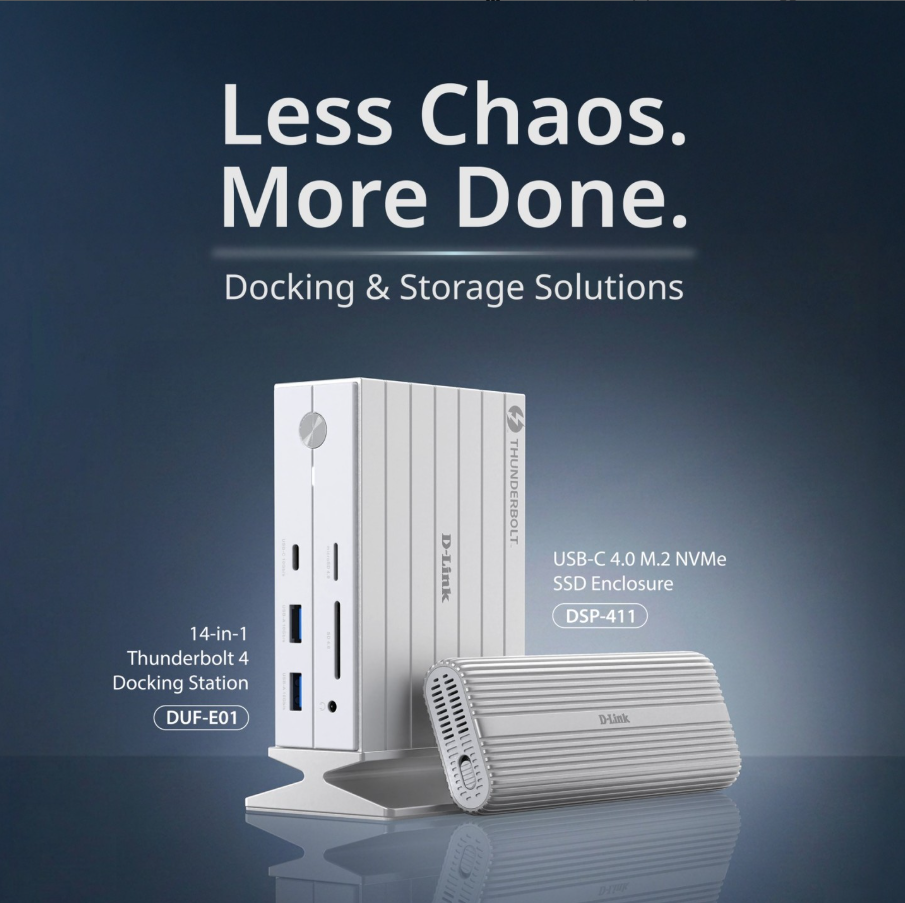
DUF-E01 – 14-in-1 Thunderbolt 4 Docking Station Built for demanding workstations and creators who run multiple monitors and high-speed devices. It supports 8K DisplayPort, 4K HDMI, 2.5Gb Ethernet, SD and microSD and delivers up to 100W charging through a single cable.
DUF-901 – 9-in-1 USB4 Docking Station A compact USB4 dock ideal for hybrid workers using modern laptops. It offers dual 8K Display Ports, USB-A and USB-C expansion, SD and microSD and up to 100W charging.
DUP-A01 – 10-Port Multi-Function USB-C Hub Perfect for everyday use. It provides 4K HDMI, USB-A and USB-C ports, SD and microSD, an audio jack and up to 100W charging. A simple way to expand your laptop without a full dock.
DSP-411 – USB-C 4.0 40Gbps NVMe SSD Enclosure Designed for creators and anyone who works with large files. It supports 40Gbps transfers and tool-free NVMe installation for fast, reliable external storage.
DSP-111 – USB-C NVMe SSD Enclosure A compact NVMe enclosure for portable storage and backups. Ideal for keeping important files safe and accessible.
DUB-H7 – 7-Port USB 2.0 Fast Charge Hub A straightforward USB expansion hub for multiple peripherals. Great for keyboards, mice, printers and everyday accessories.
DUB-1341 – 4-Port SuperSpeed USB 3.0 Hub A lightweight USB 3.0 hub offering 5Gbps speeds for faster transfers with external drives and modern USB devices.
Upgrade Your Setup with D-Link
Whether you are working, studying, creating content or simply trying to reduce cable clutter, D-Link’s latest docks, hubs and enclosures make it easy to stay connected and productive.
Explore D-Link’s full range and build a smarter, more reliable setup today.
